Find Jobs Fast and Easy with the Daywork App
Not sure where to start your job search? Let Daywork help! Applying for jobs has never been easier with the Daywork app in your hands.
In the Daywork app, you'll find a wide variety of open positions — part-time jobs, full-time roles, urgent openings, and jobs you can start right away. The application process is simple, just a few steps, and you could start working as soon as tomorrow!
Ready to seize a great opportunity?
Here are 7 tips for applying through Daywork to help you land a great job before anyone else.
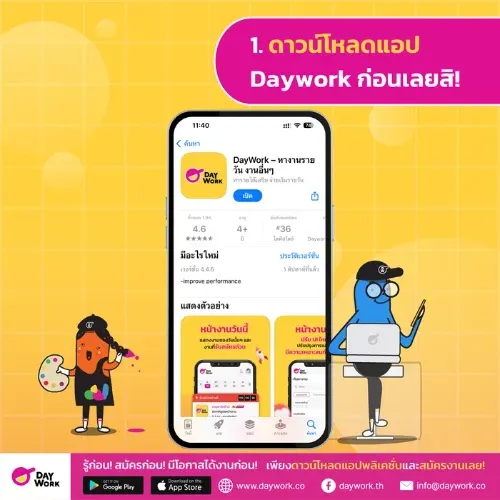
1. Download the Daywork App First!
Start by grabbing your phone and downloading the Daywork app — available for free on both
iOS | Android . Just tap install, wait a few seconds, and you're ready to go.
Simple and convenient — no matter what smartphone you use, you can start finding jobs anytime, anywhere.
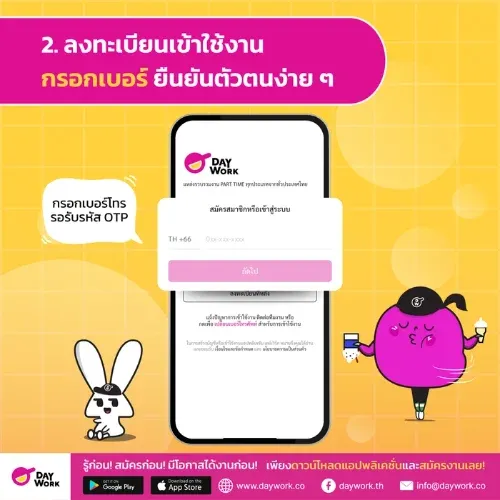
2. Register, Enter Your Number, and Verify Easily
Once you've downloaded the app, it's time for the important first step before job hunting — registration. Simply enter your phone number, wait for the OTP sent via SMS, then enter it to verify your identity.
Before using the app for the first time, you'll be shown the terms and conditions. We recommend reading through them, then tap Accept to get started. It takes less than a minute — then you're ready for the next step!
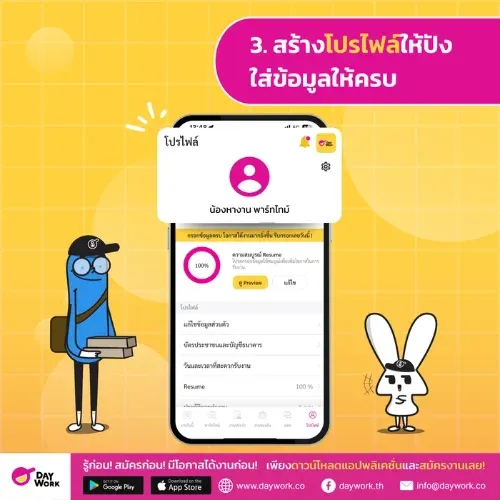
3. Build a Strong Profile — Fill in All Your Details
Once you're logged in, the next step is creating your profile. This is a crucial starting point because your profile is the first thing employers see before deciding who to hire. The more complete and clear your information, the better your chances of getting the job.
Start by choosing a presentable and professional profile photo (see tips for choosing a great part-time job photo here) , then fill in your basic info such as your full name, address, and a reachable phone number.
Also, don't forget to select your preferred job types (e.g. service, events, sales), your available days and hours, and your preferred work area. The system will recommend more relevant jobs when your profile is complete.
A complete, trustworthy profile means more job opportunities and greater confidence from employers.
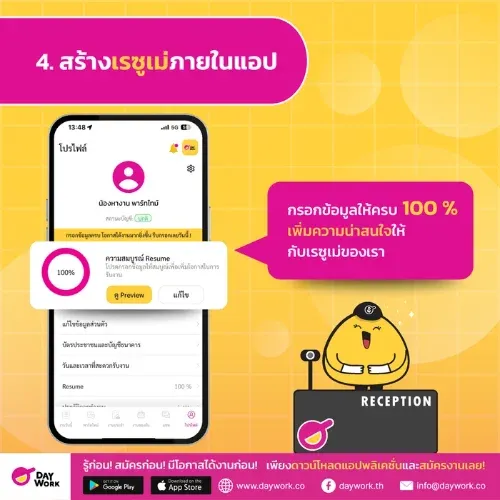
4. Build Your Resume Inside the App
Daywork has a built-in resume builder that automatically formats your information. You can enter your education, work experience, and skills in just a few minutes — no separate resume file needed. The more complete your information (aiming for 100%), the more attractive your resume becomes and the better your chances of landing a job!
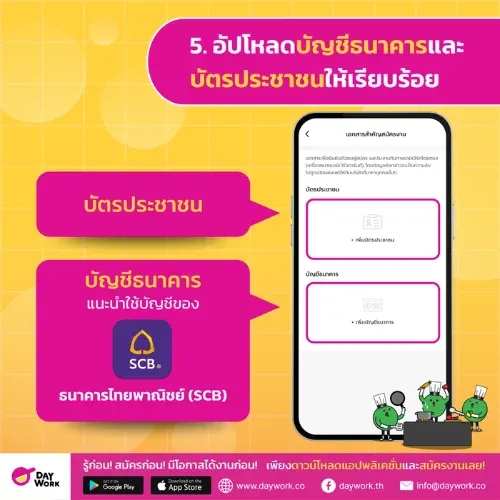
5. Upload Your Bank Account and ID Card
To ensure smooth and secure wage payments, you'll need to upload two documents: your bank account details and your national ID card. For your bank account, Daywork recommends using Siam Commercial Bank (SCB) since there are no transfer fees when employers pay your wages. Other banks may charge additional fees each time a payment is made.
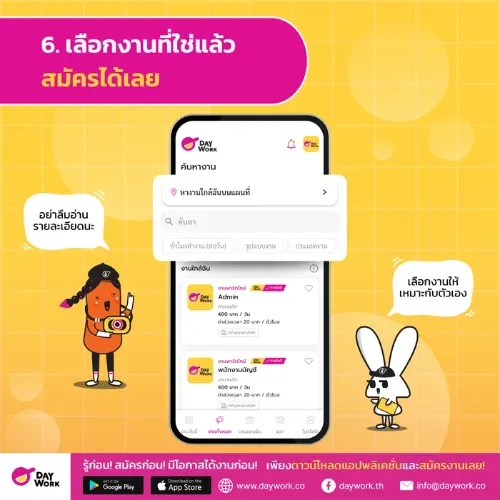
6. Find the Right Job and Apply!
Once everything's set, it's time to find jobs you're interested in. The Daywork app offers a wide variety of positions with full details — but always check the job info before applying! Don't overlook the details: where the job is, start and end times, pay rate, and any additional requirements. If you're not sure yet, you can bookmark jobs you like and come back to compare before deciding which one fits you best.
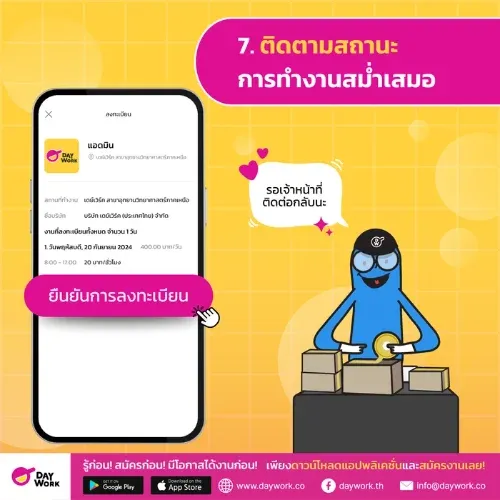
7. Track Your Application Status Regularly
After applying, don't forget to check your application status regularly. The system will let you know what stage your application is at — whether you've been selected or are still under consideration. Make sure to enable notifications in the app so you don't miss any contact from the Daywork Master team. When a new job matching your profile is available, you'll be notified right away!
Ready to Start Your Job Search with Daywork?
Just 7 simple steps and you can start earning right away — whether it's your very first job, earning while studying, or seriously looking for a full-time role. The Daywork app is ready to help you every day. Download it now and start applying today!