If you're a business owner, entrepreneur, employer, or HR professional looking for a way to recruit full-time or part-time employees without paying for job postings — and to reach quality candidates that match your organization's needs,
Job Posting Service is another great option. With an easy-to-use, straightforward system, you can post jobs for free and effectively reach job seekers.
In this guide, Daywork has compiled every step of posting a job through Jobpost in detail — with step-by-step explanations so you can get started immediately. Even if you've never used the system before, you can post professionally in just a few minutes.
Ready? Let's walk through the steps!
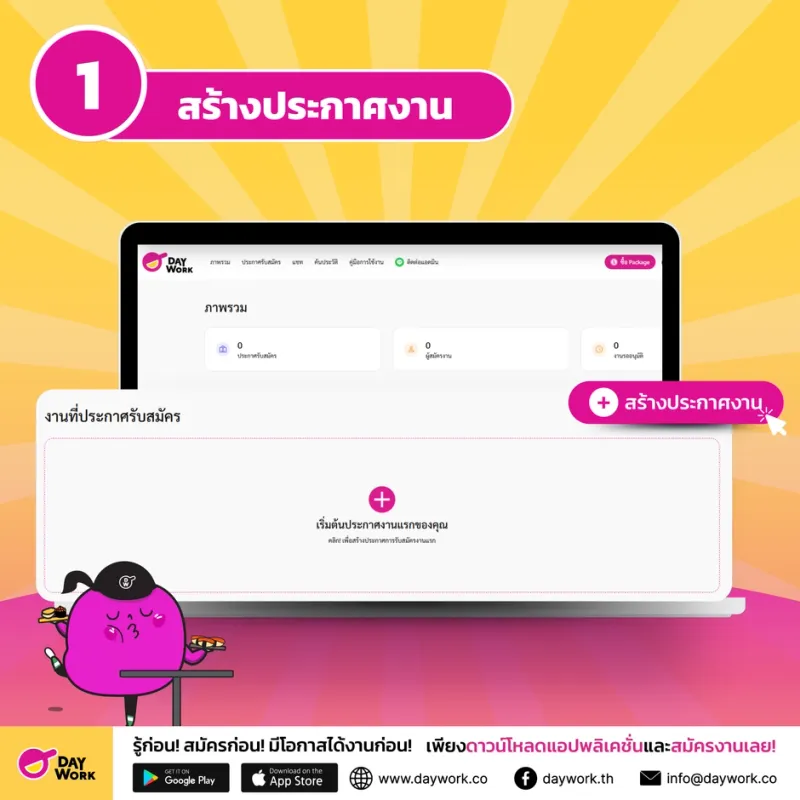
Step 1: Create a New Job Posting
Start by logging into your Job Posting Service account and selecting "Create Job Posting" to begin the process.
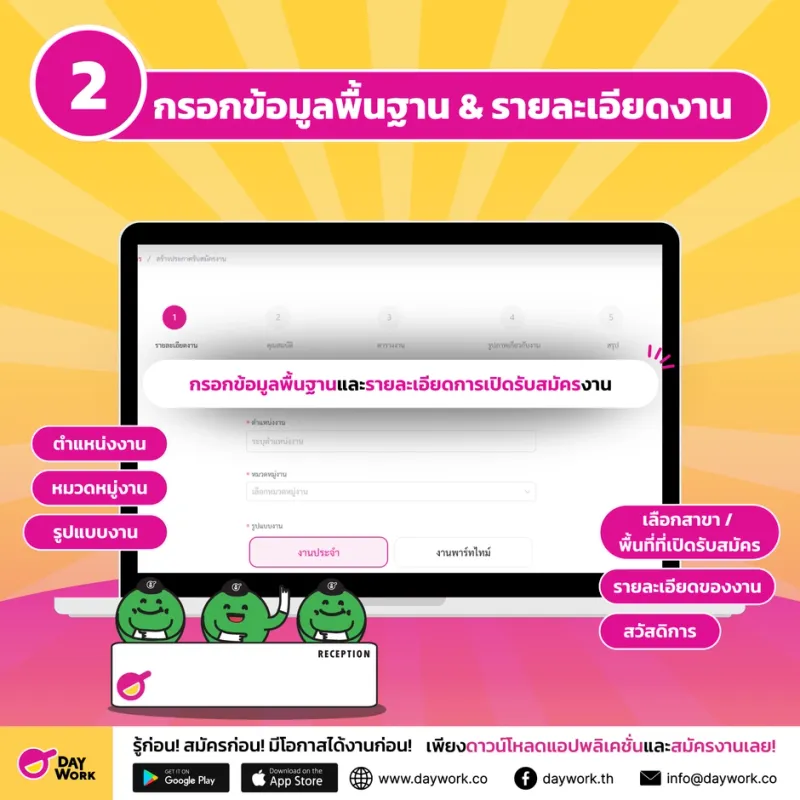
Step 2: Fill In Basic Information and Job Details
Enter the key details for the position you're hiring for:
- Job title you want to recruit for
- Job category e.g. customer service, sales, warehouse, etc.
- Employment type e.g. part-time / full-time
- Select branch / work area open for applications
- Job description explaining duties and responsibilities
- Benefits that applicants will receive, e.g. attendance bonus, meal allowance, vacation days, etc.
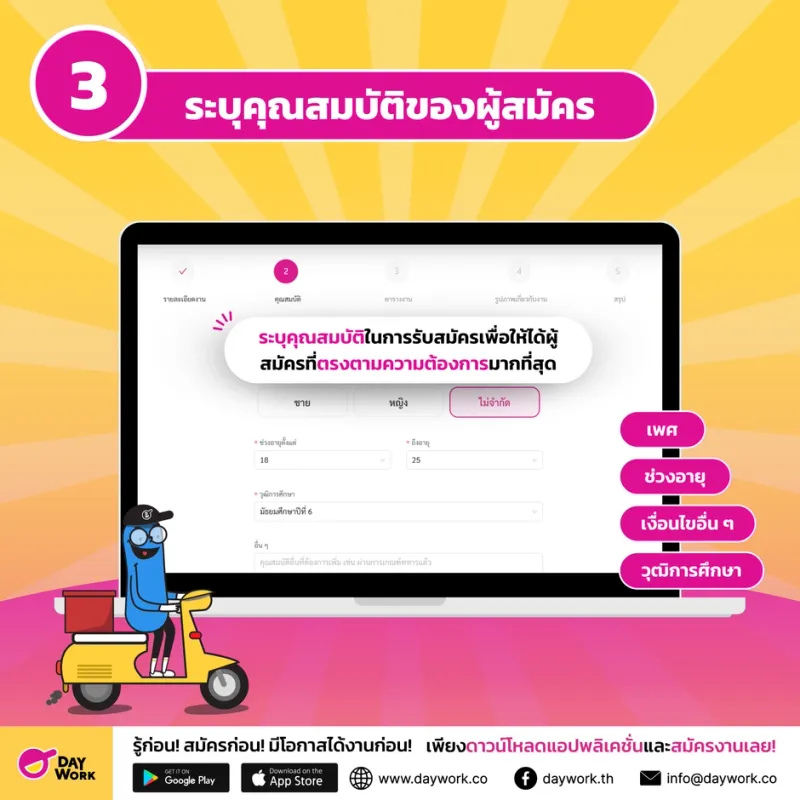
Step 3: Specify Applicant Qualifications
Provide further details about the required qualifications:
- Gender (if there are specific restrictions)
- Age range required
- Minimum education level accepted
- Other conditions e.g. experience required, driver's license, shift work availability, etc.
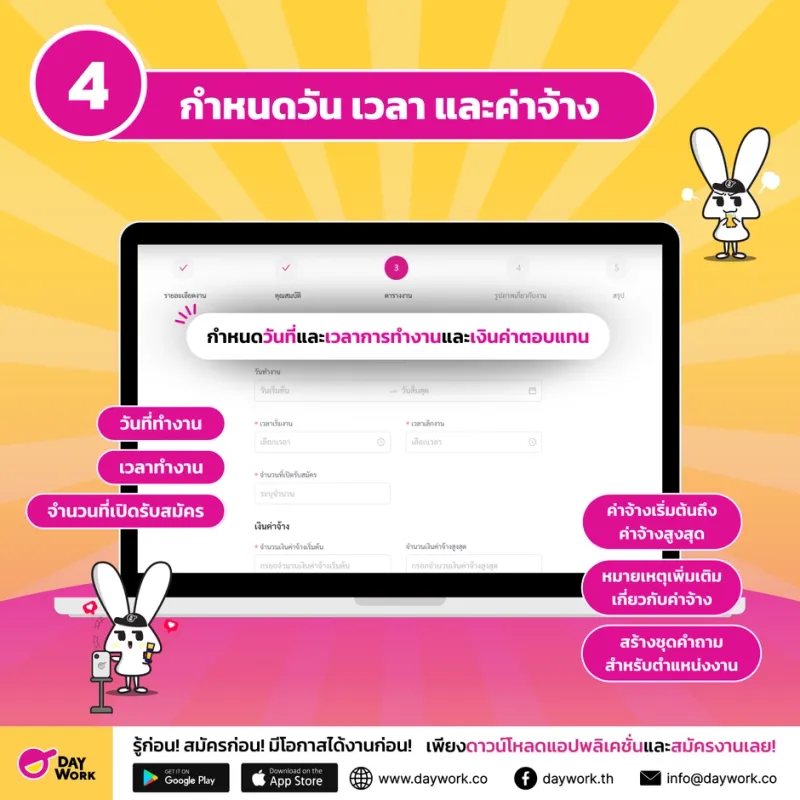
Step 4: Set Dates, Hours, and Wage
Set the details about working hours and compensation:
- Work dates — start date to end date
- Working hours e.g. 09:00 – 18:00
- Number of positions available
- Starting wage – maximum wage with the wage unit specified (daily / hourly / monthly)
- Additional wage notes (if applicable)
- Create a question set for the position to help screen applicants more precisely — e.g. asking about experience or specific abilities
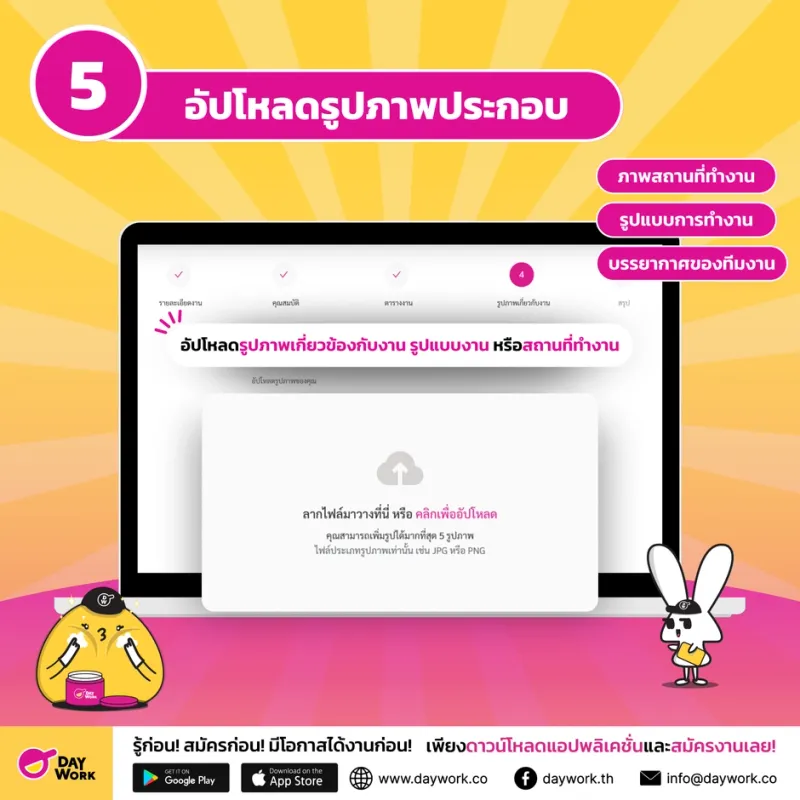
Step 5: Upload Supporting Images
Make your job posting more attractive by uploading photos such as:
- Photos of the workplace
- Work environment
- Team atmosphere
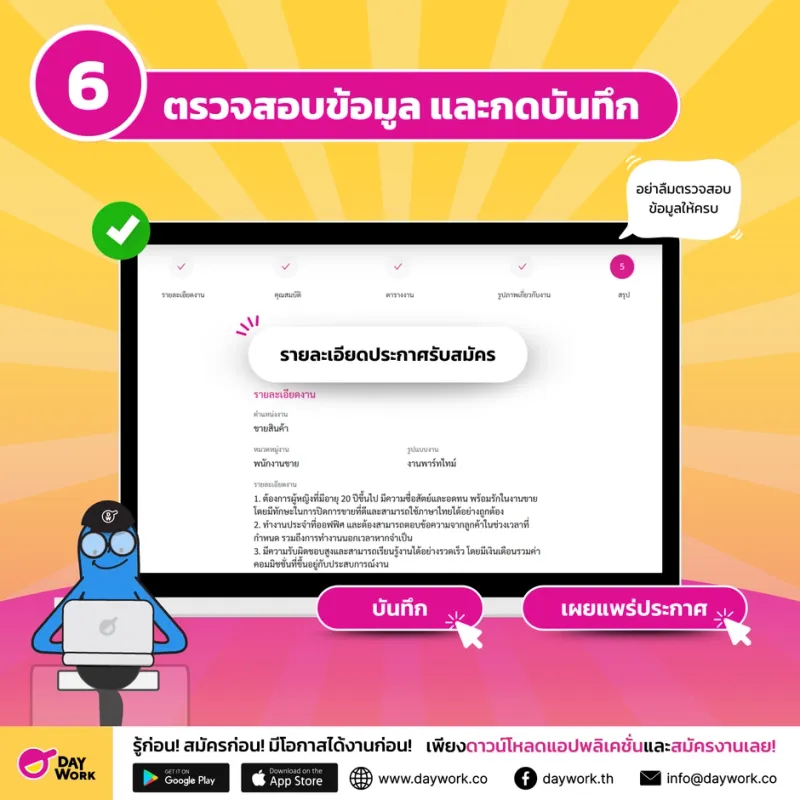
Step 6: Review Information and Save
Before confirming your job posting, double-check all the information entered — especially the position, job details, and wage — to avoid confusion for applicants.
If everything is complete, tap "Save" or "Publish Posting."
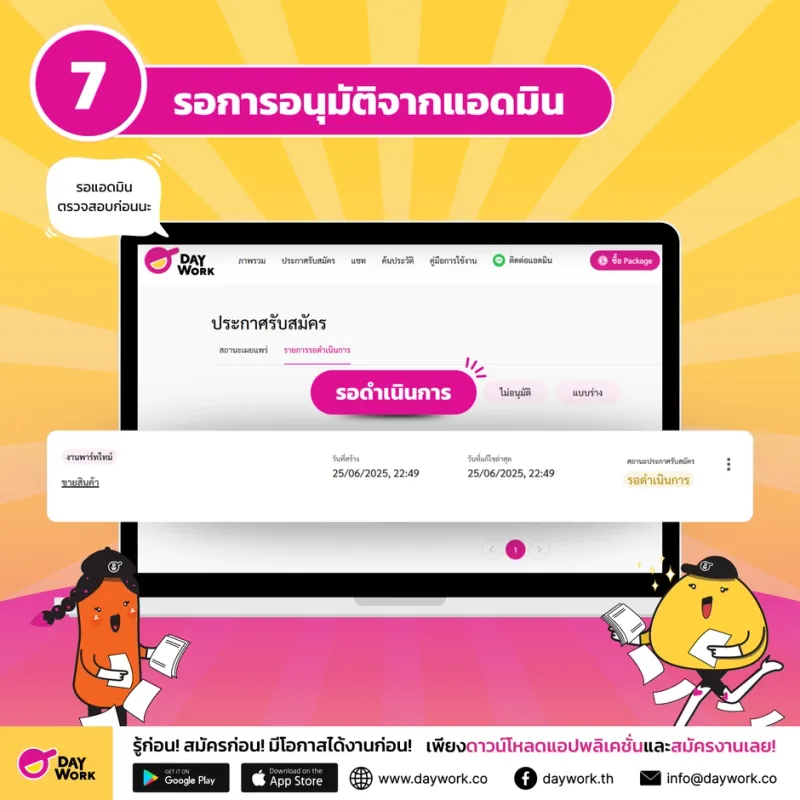
Step 7: Wait for Admin Approval
After posting the job, the system will send it to an admin for a suitability review. Once approved, your job posting will be published on the Daywork job app and the Daywork jobs website — and applicants can view and apply immediately.
Posting jobs for free on Job Posting Service is a convenient, affordable, and effective option — especially for businesses that need to find people quickly. If you follow the steps above, finding the right workers is easy!