Complete your company verification to build trust and unlock full access to all features.
Verifying your company information is an important step for employers who want to use the Employer app to its full potential — whether that's posting multiple job listings or accessing more workers. It can be done easily through the app by following these steps.
1. Open the Employer App
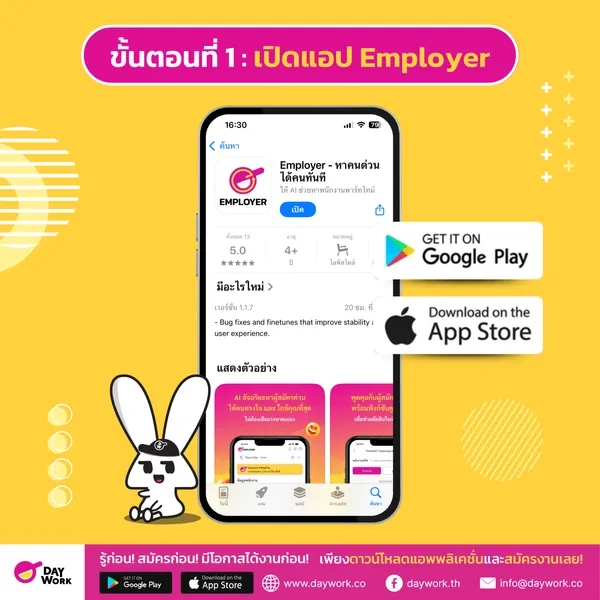
Download the Daywork Employer app from Google Play Store or App Store , then log in or create a new account. (Read details here)
2. Manage Company Information
Before using the job posting system, you will need to verify your company information in the following steps:
2.1 Enter Company Information
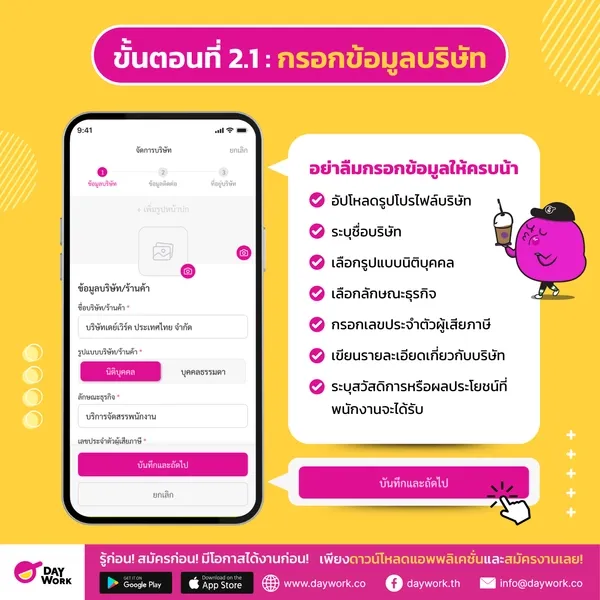
- Upload a company profile photo
- Enter the company name
- Select the entity type: Juristic Person or Individual
- Select the type of business
- Enter the tax identification number
- Write a description about the company
- Specify benefits or perks that employees will receive
Once completed, tap "Save" and "Next" to proceed to the next step.
2.2 Enter Company Contact Information
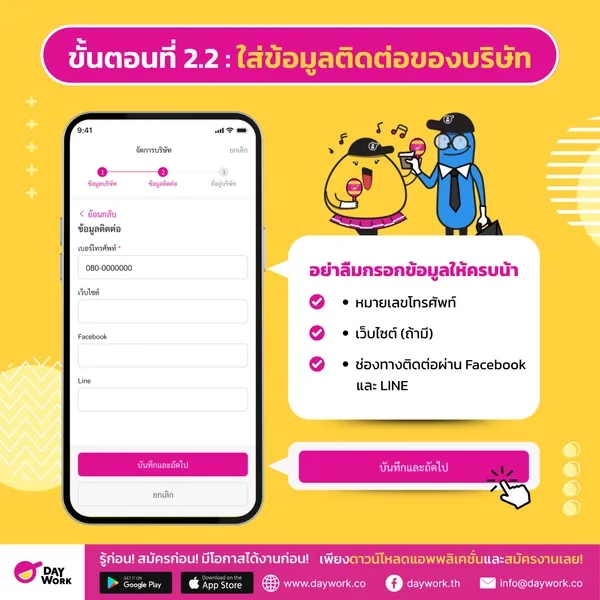
- Phone number
- Website (if applicable)
- Facebook and LINE contact channels
2.3 Enter the Company Address and Branches (if any)
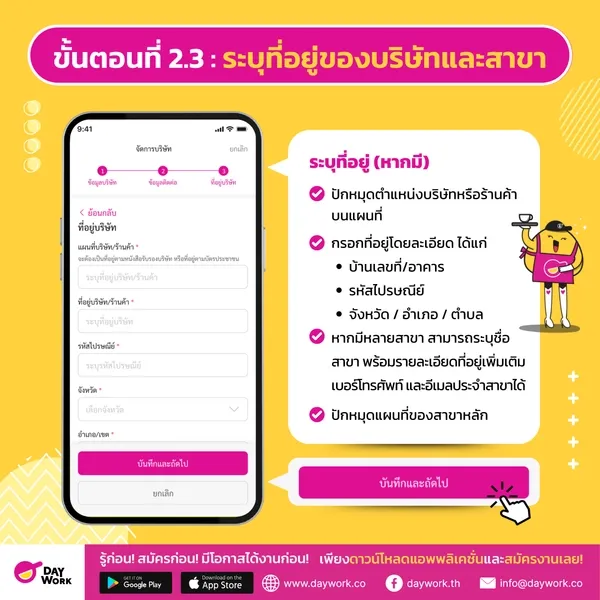
- Pin the company or store location on the map
- Enter the full address including:
- House number / building
- Postal code
- Province / District / Sub-district
- If there are multiple branches, you can specify the branch name along with additional address details, phone number, and branch email
- Pin the main branch location on the map
Verify the information, then tap "Save"
3. Upload Identity Verification Documents
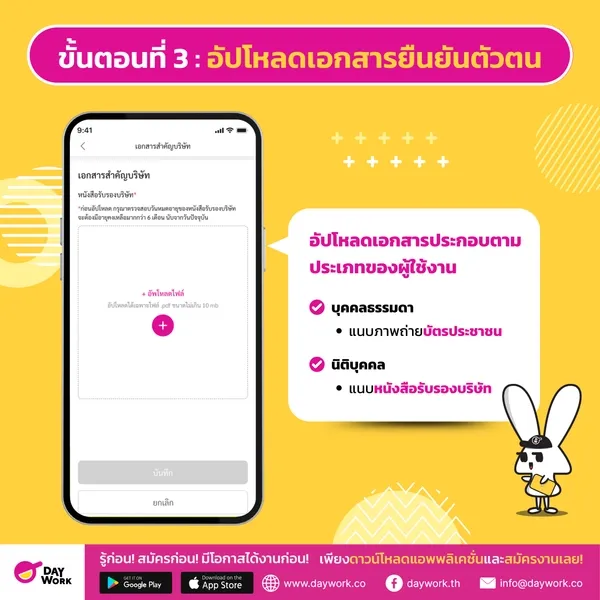
To verify your company's legitimacy, you must upload the appropriate documents based on your account type:
- If you are an Individual : attach a photo of your national ID card
- If you are a Juristic Person : attach a company registration certificate
Documents can be uploaded via the "Account" menu in the app.
If you have not yet uploaded documents to verify your company identity, the system will limit some features. You will only be able to create 1 job listing and hire no more than 1 worker.
This restriction exists to protect all users and build trust with applicants. To unlock full access and increase your company's credibility in the eyes of applicants, we recommend completing the document upload as soon as possible via the "Account" menu in the app.